Xpert Dynamics

Microsoft Dynamics 365 Customer Insights - Journeys

Turn a list of contacts into campaigns that run themselves.

Microsoft Dynamics 365 Customer Insights - Journeys

Microsoft Dynamics 365 Marketing is built for a team that has outgrown one-off emails and needs a system for running actual campaigns: multi-channel outreach, lead nurturing, and event management, all tracked against the same customer record your sales team already works from.

Because it shares data with the rest of Dynamics 365, a lead doesn’t disappear into a separate marketing tool the moment sales picks it up. Marketing and sales work off the same record, from first touch to closed deal.

Microsoft Dynamics 365 Customer Insights - Journeys: Features

Dynamics 365 Marketing covers the full campaign cycle, from building the audience to reporting on what worked.
  • Multi-channel campaigns across email, events, and social, built from one system.
  • Customer journeys that respond to what a contact does ; opens an email, attends a webinar, visits
    a page instead of running on a fixed send schedule.
  • Segmentation and dynamic audiences that update automatically as contact data changes.
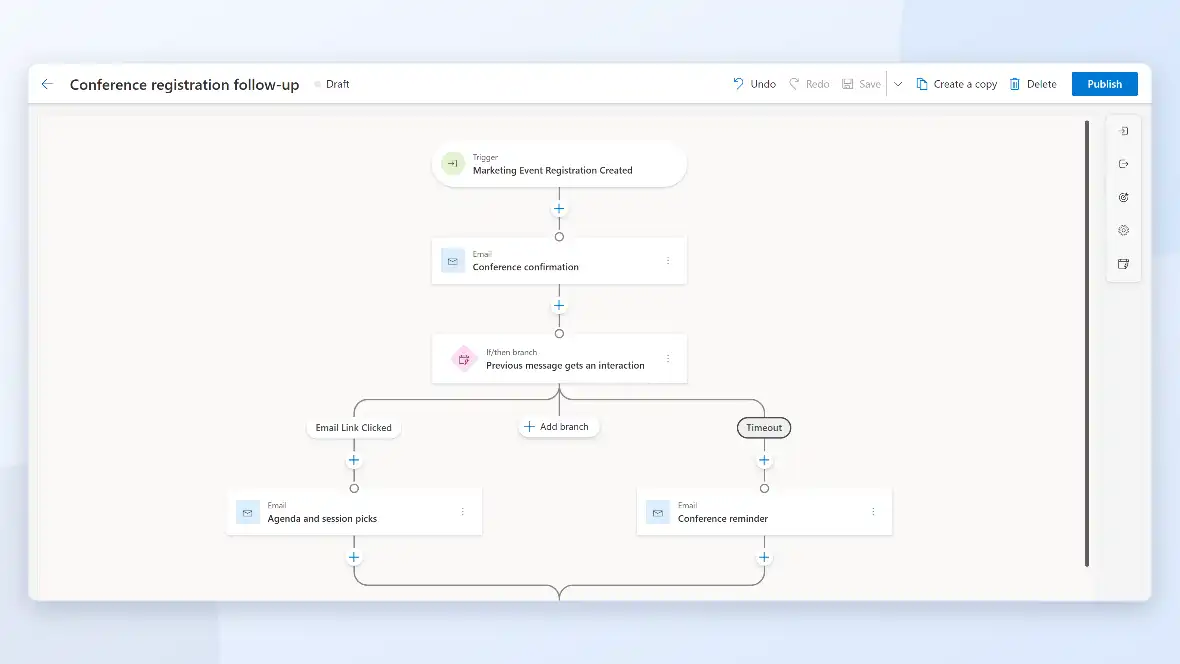
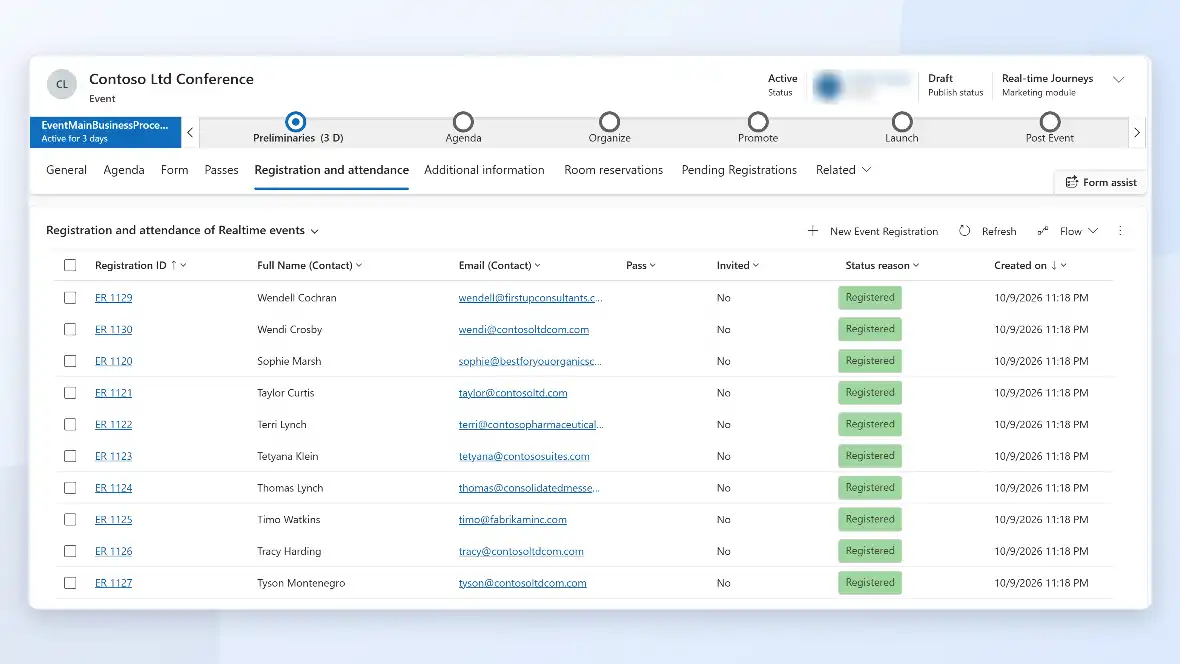
  • End-to-end event management, from registration through check-in and follow-up.
  • Webinar and in-person event support without a separate event tool.
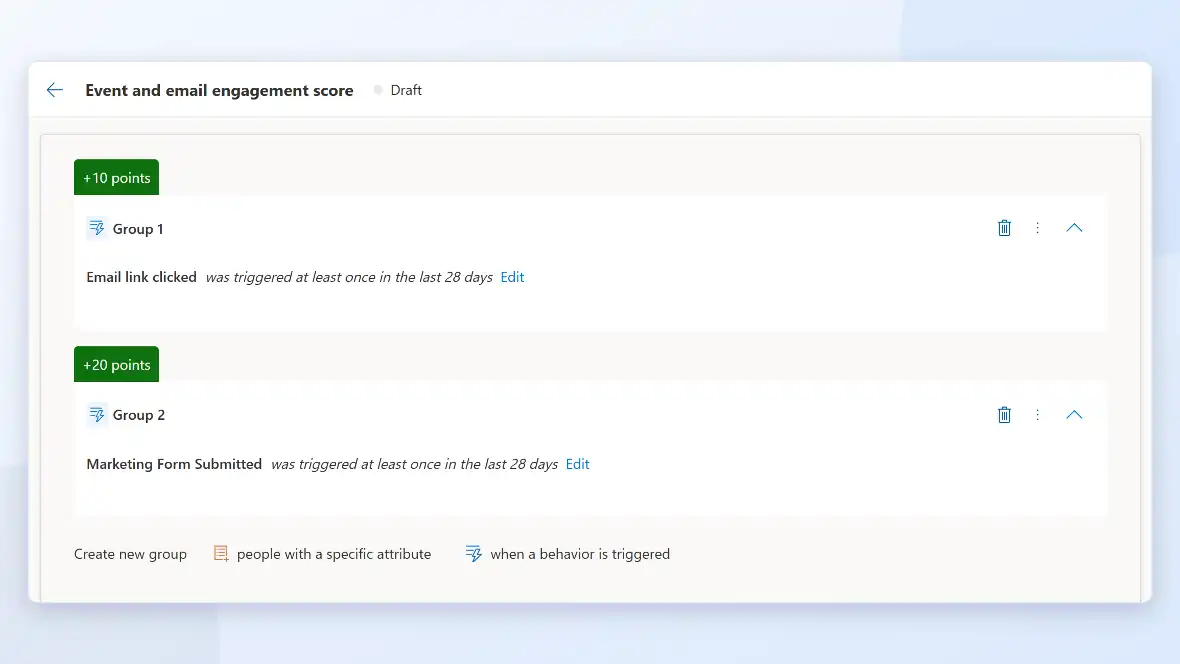
  • Lead scoring based on actual engagement, so sales gets contacts worth calling.
  • Shared records with Dynamics 365 Sales, so a lead’s marketing history follows it into the sales
    pipeline.
  • Campaign and ROI reporting tied to pipeline outcomes, not just open rates.
  • Consent and compliance tracking built into every campaign.
Microsoft Dynamics 365 Customer Insights - Journeys: How A Campaign Moves

A campaign follows a defined path from audience to result, tracked against the same customer record sales already uses.

Audience Built

Segments are created from Dataverse data and update automatically as records change.

Journey Triggered

A journey sends the right message based on what the contact does, not a fixed date.

Engagement Tracked

Opens, clicks, event attendance, and page visits all roll up to the contact record.

Lead Scored and Handed Of

Once a contact hits a scoring threshold, it’s routed to sales with its full history attached.

Results Reported

Campaign performance rolls up to pipeline and revenue, not just email metrics.

Microsoft Dynamics 365 Customer Insights - Journeys: Benefits

A shared system changes what marketing can prove and what sales actually receives.

What Xpert Dynamics Does

Talk To Us About Support

We help businesses embrace innovation & explore new opportunities.

Please fill out the form & we promise to get back to you ASAP!