Custom Development & Integrations
Plugins, integrations, and Power Platform solutions for Dynamics 365, built the way Microsoft supports.
Overview
Custom work is easy to add. Living with it is harder.
Most Dynamics 365 systems need something the standard product does not do. A rule that checks an order before it saves. A Power Pages portal for your customers. A Copilot Studio agent that answers staff questions from your own data. The work itself is often quick. The trouble comes later. Microsoft changes the product several times a year, and code built on unsupported shortcuts can stop working after an update. Then the developer who wrote it moves on, and nobody knows what it does.
We build the parts Dynamics 365 cannot do on its own, using methods Microsoft supports. Each piece comes with plain notes on what it does and why, so your team is not stuck when someone leaves.
What we build
What We Build
01
Business Rules and Plugins
Logic that runs inside Dynamics 365 when a record is created or changed. We write it in C# when the built-in tools cannot handle the rule.
For Example:
Checking an order against the customer’s credit limit before it can be saved.
02
Custom components (PCF)
Controls that change how a field or a list looks and works on a form, built with Microsoft’s Power Apps component framework.
For Example:
A colour-coded grid, or a map of service locations, inside a customer record.
03
Integrations
Connections between Dynamics 365 and your other systems. We build them on Azure services such as Functions and Service Bus, or on Power Automate and standard connectors where those fit.
For Example:
Invoices from your finance system showing on the account in Dynamics 365.
04
Power Platform solutions
We take your Dynamics 365 data further. Your team can open it on a phone through Power Apps. Power Automate passes it from step to step, while Power BI shows it as reports. Power Pages and Copilot Studio let customers and staff reach it too.
For Example:
A Power Pages portal. Customers check their own cases there instead of phoning you.
Built For Updates
Built For Microsoft Updates
How Often It Changes
Two large release waves a year, in spring and fall, plus smaller updates in between.
- Low-code first. We write code only when settings, standard features, or Power Platform cannot do the job.
- Only methods Microsoft supports. No shortcuts that reach into how a page is built behind the scenes.
- Everything packaged in solutions and kept in source control, so each change can be traced and undone.
- The same release steps for test and production. Nothing is changed by hand in the live system.
- Settings kept out of the code, so moving from test to production needs no code changes.
- Testing in a sandbox during Microsoft's early access period, before each release wave reaches your users.
- Power Platform work follows the same rules. Your Power Apps, flows, Power Pages sites, Power BI reports, and Copilot Studio agents go through the same packaging, testing, and release steps as our code.
- Every piece gets notes in plain language. They say what it does, why we built it, and what else it touches.
How It Works
How We Build
01
Understand
First we pin down the real problem. Can settings or a standard feature fix it? We check that before anything else.
02
Design
03
Build
04
Test
05
Hand Over
Who it's for
Who This Is For




Something broke after a Microsoft update. You want it fixed properly this time, so it stays fixed.
Integrations
Integrations That Tell You When They Fail
Integration problems are often quiet. A password expires, someone renames a field in the other system, or a message is rejected. Nothing crashes. Data simply stops coming through. Often nobody spots it until a customer calls about an order.
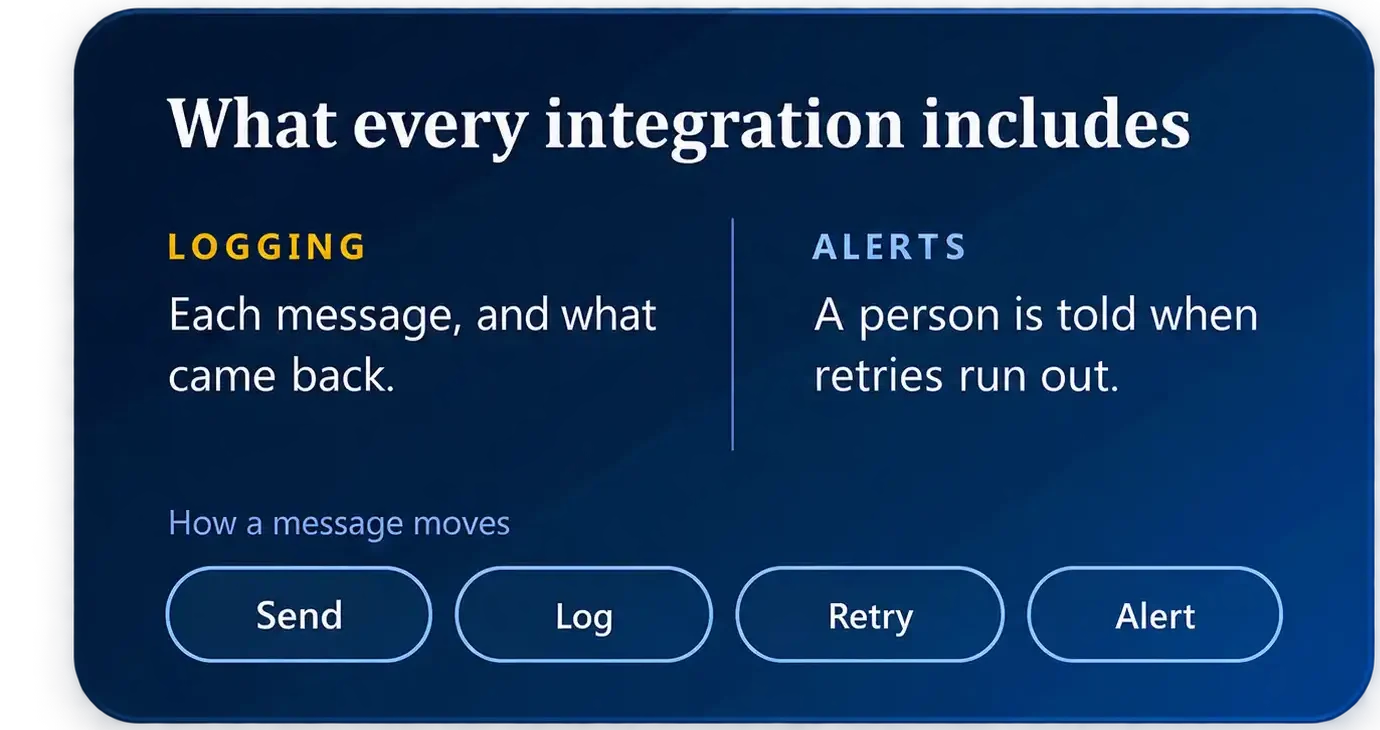
Every integration we build logs each message it handles. You can see what went out, when it went, and what came back. Failed messages wait in a queue and try again. If they keep failing, a named person gets an alert with enough detail to fix it.

Have Something You Need Built?
Tell us where Dynamics 365 falls short for you today, and we will explain how we would build it.