Dynamics 365 CRM for Healthcare
Dynamics 365 CRM and Power Platform for healthcare teams.
Overview
Healthcare Never Stops. Neither Should The Systems Behind It.

A referral arrives from a family doctor late on a Friday. It’s missing a consent form, so it sits in a queue. On Monday nobody is sure who was meant to chase it, and by Wednesday the patient’s family is phoning to ask what happened. Nothing clinical went wrong. The system around the referral did.
Our work is Dynamics 365 CRM and Power Platform. With healthcare teams we usually start from a live environment, often one we didn’t build. Some weeks the job is repairing a referral workflow that stopped behaving. Other weeks it is getting the CRM to talk to a scheduling system, or finishing a project another vendor left behind. If something still works, it stays.
What Teams Get Stuck
Where Sports Teams Get Stuck
01
Referrals That Stall
What We Do:
We set Dynamics 365 CRM up so a logged referral always has a named owner and a list of what’s missing. Leave it alone for too many days and a supervisor gets told, well before the clinic thinks to ring.
02
Systems That Don't Talk
What We Do:
Using Azure and Power Platform, we link Dynamics 365 CRM to those systems. Details get typed once, and none of the clinical systems has to change.
03
Partners Tracked In Inboxes
What We Do:
We keep partner work in Dynamics 365 CRM instead. Every request and promised follow-up hangs off the partner’s record, where the next person will look.
04
Systems Nobody Can Explain
After a merger, an integration stops working overnight. There is custom code behind it. Nobody left notes, and the developer who wrote it moved on two years ago.
What We Do:
We read the system before we touch it. The urgent fixes go in first and the rest gets written up along the way, so you’re no longer tied to one person or to the old vendor.
What We Build
What We Build For Healthcare Teams

Dynamics 365 CRM
Referral Management

Power Apps
Program Management

Power Pages
Provider Portal
We build the portal on Power Pages. Your referring clinic signs in and drops in the letter you asked for. If anything else is still to come, the page says so there and then.

Power Automate
Routing and Sign-Offs
When one person finishes with a referral, Power Automate sends it on to the next. Anyone who sits on it gets a nudge. Who did what, and when, is saved.

Power BI
Operational Reporting

Copilot Studio
Answers For Staff
Every new intake hire asks the same question over and over: which program covers this? A Copilot Studio agent answers from your organization’s approved procedures. Senior staff get their time back.
Partnerships
Built Around Your Programs
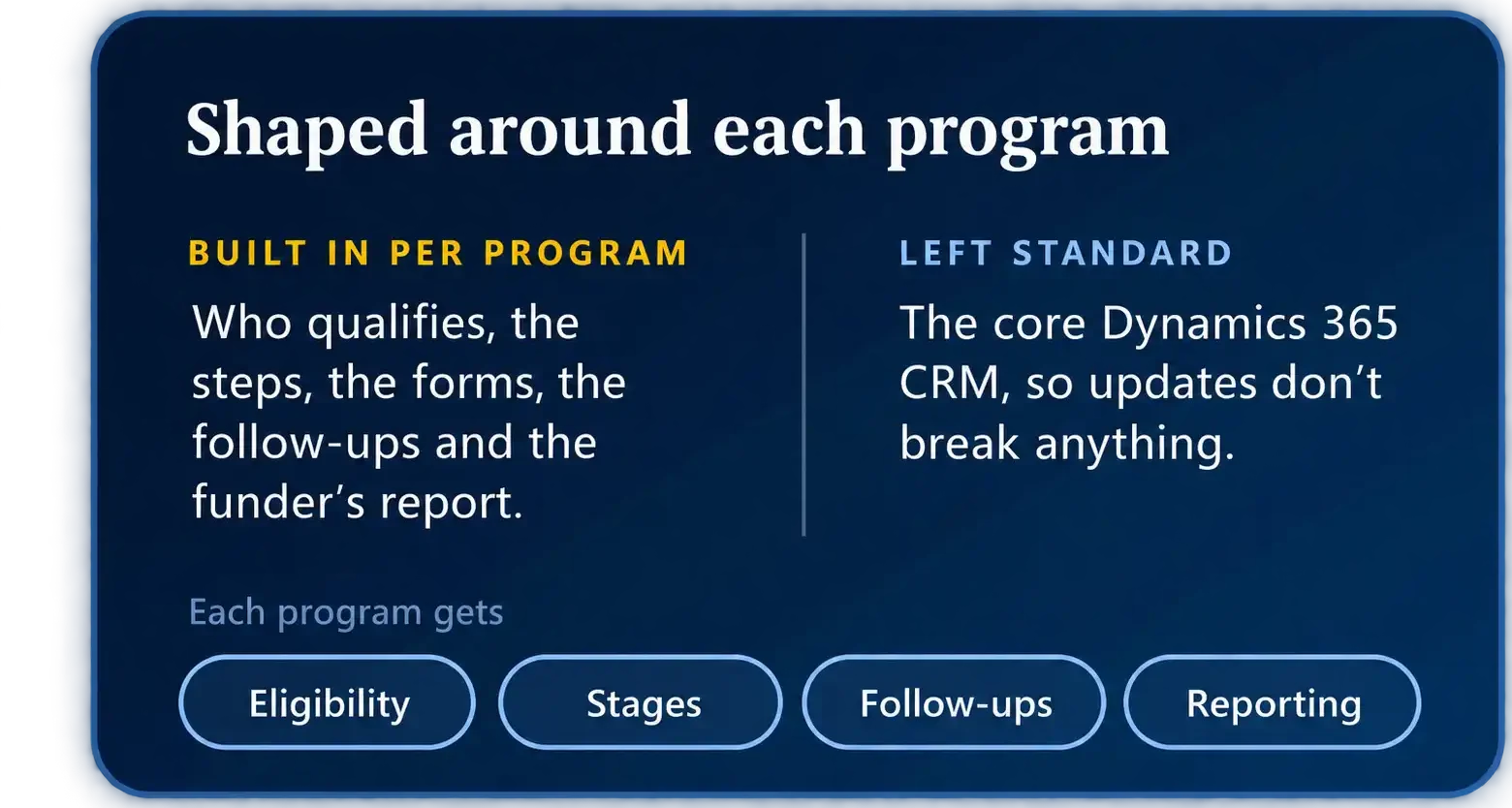
Take a diabetes outreach program. It has its own rules about who qualifies, its own consent form, a follow-up call at thirty days and a report the funder wants every quarter. The falls-prevention program down the hall works differently again. Put both into a standard CRM setup and staff end up keeping the real process in a binder on the desk.
So we put each program into Dynamics 365 CRM the way your staff really run it. For one program that might be an intake screen in Power Apps; for another, two extra Dataverse tables and the quarterly report. Underneath, the CRM is left standard, so Microsoft’s updates don’t break anything and support stays simple.

Services
How We Help Healthcare Teams
All six of our services apply to healthcare work. This is roughly where each one fits.
Managed Support & Maintenance
Support at any hour, with written response times, because referrals and programs don’t stop at five o’clock.
High-Volume Migrations
into the millions of records, with duplicates found, old identifiers kept and links between people, providers and referrals intact.
Custom Development & Integrations
Integrations with clinical, scheduling and administrative systems, plus custom development and PCF controls where standard features fall short.
Legacy System Support
An older or inherited Dynamics CRM kept stable and documented, so the referrals and programs that run on it keep moving.
Staff Augmentation
Short of hands for a launch or a long project? One of our Dynamics 365 CRM or Power Platform people can sit inside your team until it is done.
Rescue & Recovery
An independent review of a stalled implementation, and a realistic plan to get it live without starting over.
Why Xpert Dynamics
Why Healthcare Teams Work with Us
Organizations we have worked with include Health Canada and TELUS Health.
More About Us
Learn more about how we work on the Why Xpert Dynamics page.
- We work inside environments that already exist. Inherited, half-finished and heavily customized systems are normal for us.
- We work alongside your clinical systems. Dynamics 365 CRM handles referrals, programs and relationships, and connects to the rest.
- You deal with named consultants, and they stay with you. Nobody has to be walked through your setup a second time.
- We write down what we build. People move on from every team, ours included, and the notes stay behind with you.
- We deliver in agile cycles, each with a milestone you agree to up front. You always know what has been finished and what we are working on next.
Yes. We connect Dynamics 365 CRM to other business systems all the time, and scheduling, clinical, document and billing tools are no different. Some products have an API, and then the work is straightforward. Others only export files, so we set up a transfer or a sync that runs on a timetable. We check your exact products and versions before we start, and you hear from us what the link will cover and what it won't.
The people you decide on, and nobody else. A worker on one program does not need to see another program's files, and Dynamics 365 can enforce that with security roles and teams. We set it up around your privacy office's rules, and go through it with them before anything goes live.
Yes. Before each release we check the systems your team leans on hardest. After a release we keep a close eye on things. And when something breaks at night, you can reach us at any hour.
In many cases, no. A lot can be done by fixing, connecting and extending what is already there. Where we think a bigger change is the better route, we'll tell you so and give you our reasons.
Yes. We begin by reading through what the last partner built and writing it up, since that is often missing. Urgent problems get fixed next. After that, we agree the plan with you.
Insights
Insights For Accounting Firms
Talk To Us About Your Organization
Tell us about the referral, the program or the system that’s slowing your teams down, and we’ll tell you how we’d fix it.