Microsoft Power Automate
The steps your team repeats every day, handled automatically.
Microsoft Power Automate
A lead fills in your website form at nine on a Tuesday night, and nothing happens until the office opens. Next morning a sales rep retypes it into the CRM, emails their manager and then adds it to the pipeline spreadsheet as well. On Thursday a second person does part of it again because they weren’t sure it had been done.
Microsoft Power Automate takes that repetitive work off your team. We set up a flow once and it does those steps itself, the second the form comes in, and it does them the same way for the hundredth lead as for the first. We connect it to Dynamics 365 CRM and to Outlook and Teams, and if you use other software too there’s a good chance a connector for it already exists, as there are over a thousand of them. If a bigger discount has to be signed off by a manager first, the flow sends them the request and holds off until they’ve answered.
Microsoft Power Automate: Flow Types
There are three kinds of flow in Power Automate. Which one you need depends on where the work is being done today.
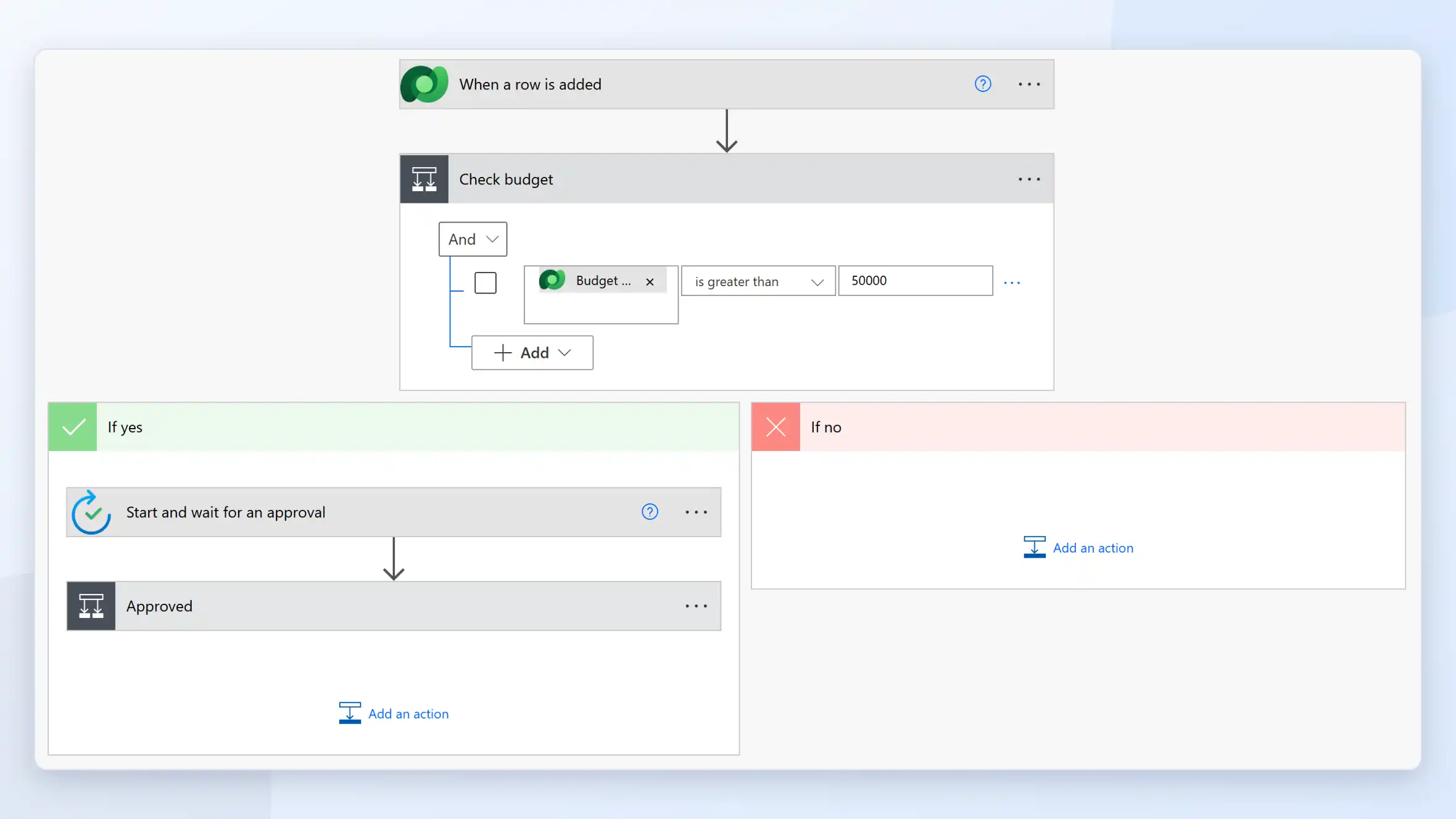
Cloud Flows
This is the type most teams use day to day. Say an opportunity is marked won in Dynamics 365 CRM. A cloud flow can pick that up straight away, post it in the sales channel in Teams and save the signed quote to SharePoint. Others start when someone presses a button, or run on a schedule, every Friday at 4 pm for example.
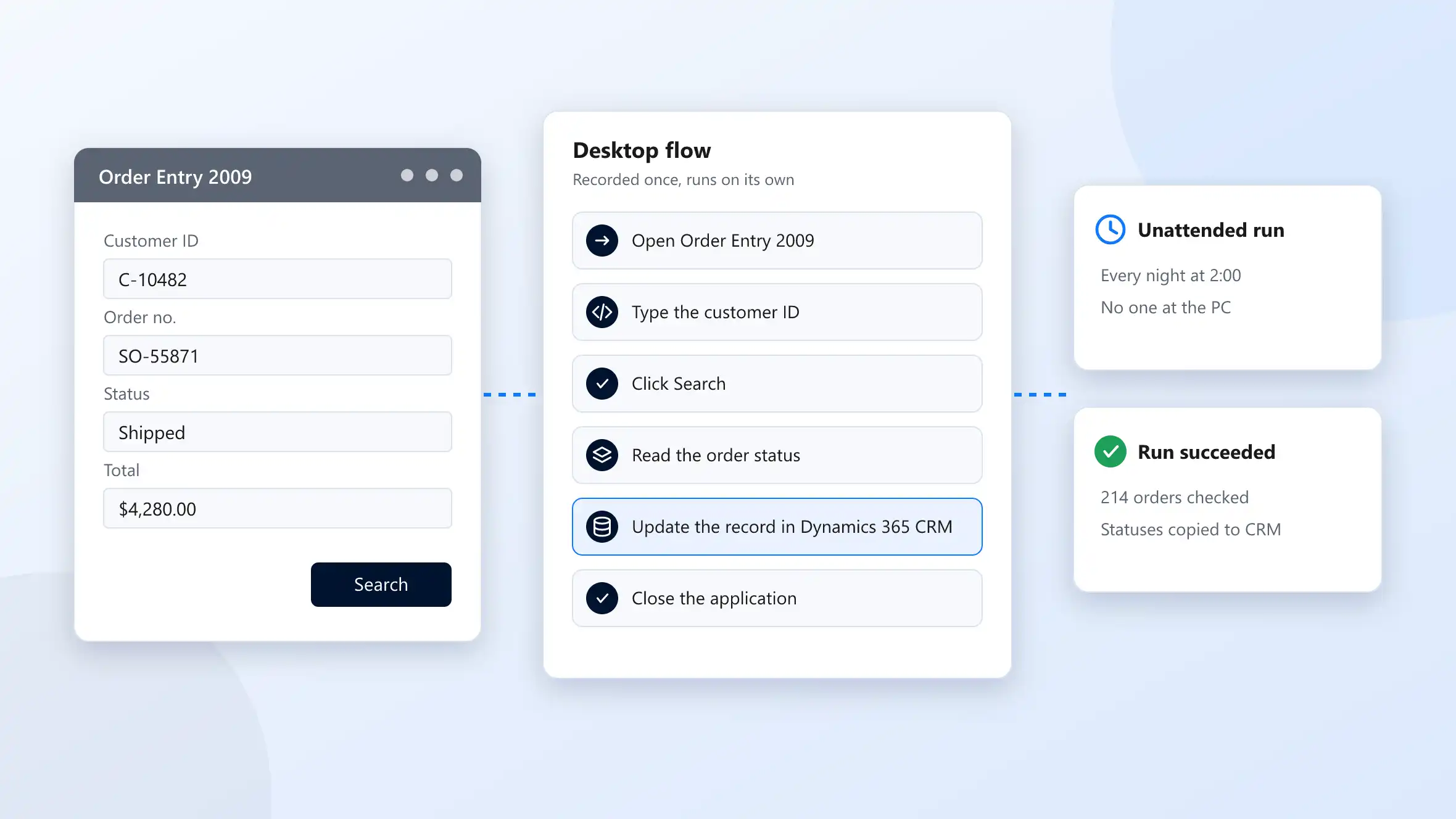
Desktop Flows
Many offices still run an older program with no API, and someone logs into it every morning to copy figures out by hand. We record a person doing that once in Power Automate for desktop. The flow then does the same clicks and typing itself, overnight if you like, with nobody at the PC.
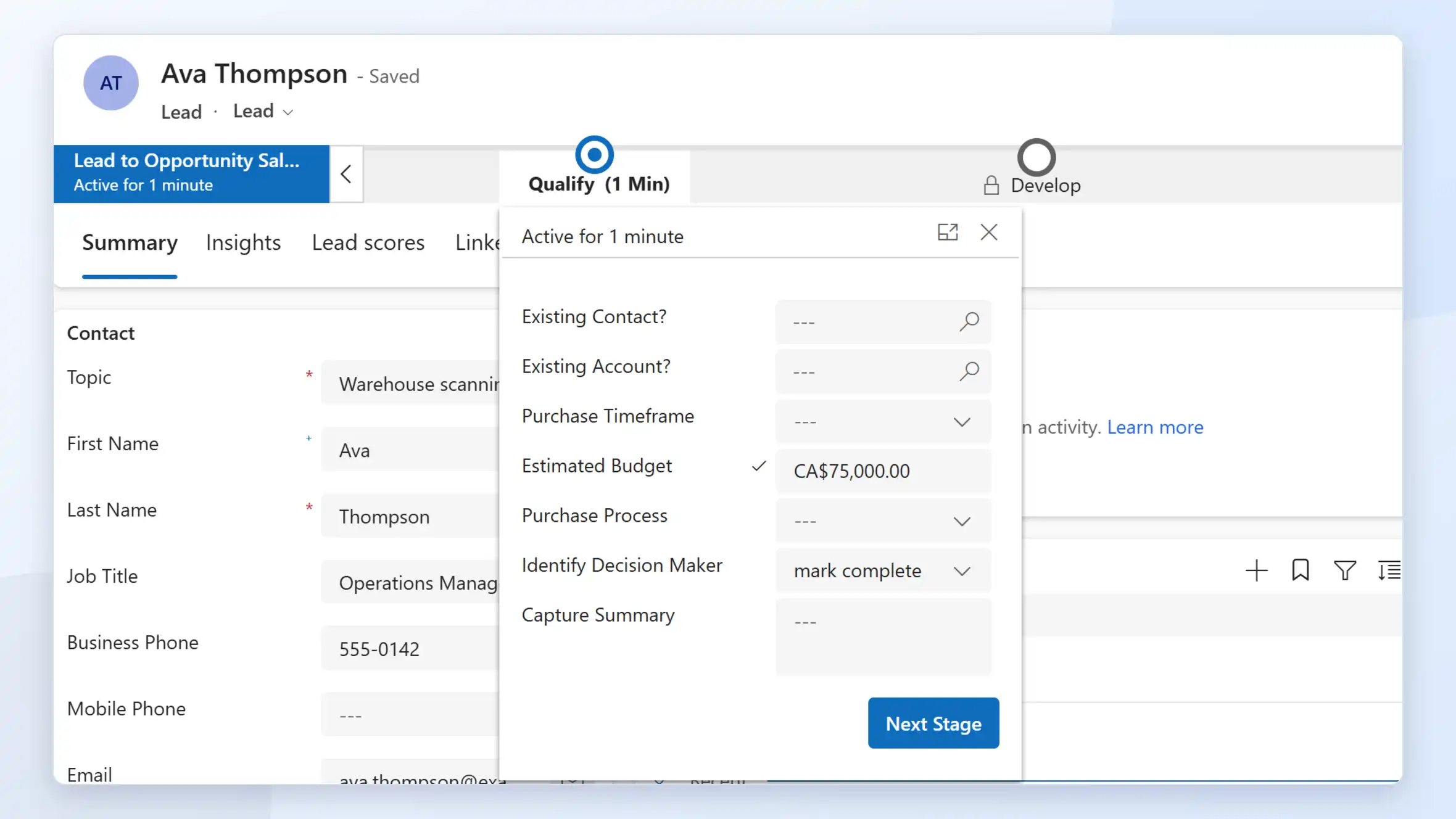
Business Process Flows
These appear in Dynamics 365 CRM and model-driven apps as a bar of stages across the top of a record. A rep opening a lead can see it’s at Qualify and that two fields still need filling before it moves to Develop.
Microsoft Power Automate: Features
Power Automate includes everything you need to build, run and monitor your flows:
- Connectors for more than a thousand services, from Microsoft and other vendors
- Templates for common tasks that you can start from and adapt
- Approvals people can answer in Outlook, in Teams or on their phone
- Copilot, where you type what the flow should do and get a first draft to edit
- AI Builder, which reads invoices, forms and emails and pulls out the fields
- AI Builder, which reads invoices, forms and emails and pulls out the fields
- Desktop flows for software that has no API
- Process mining, which shows where a process is slowing down and why
- A run history for every flow, with alerts when a run fails
- Data loss prevention policies and managed environments for your IT administrators
Microsoft Power Automate: A Flow Runs
A deal follows a visible path from first contact to close, and every stage of it is tracked against the same record.

Trigger
Something kicks it off. That can be a new record in Dynamics 365 CRM, an email hitting the shared inbox, someone pressing a button, or simply eight o’clock on a Monday.

Conditions Checked
The flow looks at the data and picks a branch. A $200 order and a $20,000 one don’t have to go the same way.

Actions Run
Records get created, messages go out, files are updated and other systems are called through their connectors.

Approval If Needed
Some orders need a manager’s okay first. The manager gets the request in Teams or Outlook, and the order doesn’t go any further until they approve or reject it.

Run logged
If a customer calls on Wednesday about Monday’s order, you can open that run and see what came in and what the flow did with it. When a step fails, the person responsible for the flow gets an alert.
Microsoft Power Automate: Benefits
Once the routine steps run automatically, your team gets time back for the work that needs their judgment.
- Less retyping between Dynamics 365 CRM, email and your other systems
- The same steps done the same way every time, whoever is working that day
- Approvals that land with the right person in Teams or Outlook, plus a record of who approved what and when
- Older desktop software included in the process as it is, without a replacement project first
- A record of every run, so you can answer when someone asks what happened to an order

What Xpert Dynamics Does
- We sit down with the people who do the work now and map out the process with them before we build a single flow.
- We build across the whole Power Platform, so one solution can tie a flow to Power Apps, Power Pages, Power BI, Copilot Studio and Dynamics 365 CRM.
- When the standard connectors aren't enough, we build custom connectors and Azure Functions and connect your flows to Azure services.
- We add error handling and alerts so that if a run fails, somebody finds out that day rather than at month end.
- Many companies run flows that one employee built on a personal account. We take those over, document how they work and move them into managed solutions and environments.
- We start from delivery playbooks we've used before and work in agile stages, each with a clear milestone.
Talk To Us About Support
We help businesses embrace innovation & explore new opportunities.
Please fill out the form & we promise to get back to you ASAP!